
schoolМатематика
verifiedРешено AI
Решение заданий Unit 14 Word Processing (Кратко)
help_outlineУсловие задачи
Сделай все кратко
lightbulbКраткий ответ
Готовые краткие ответы для Unit 14 Word Processing. Идеально для быстрого списывания в тетрадь по информатике.
Подробное решение
Ниже представлены краткие ответы на задания из ваших материалов, оформленные для удобного переписывания в тетрадь.
Unit 14. Word processing (WP)
Задание 1.C (Дополнение предложений)
1. The Standard toolbar lists the icons to save or print a document, spell check, etc.
2. The Formatting toolbar is the area for changing font, alignment, indentation, etc.
3. A font consists of three elements: typeface, type style and type size. For example, Palatino bold at 10 points.
4. Type style refers to a visual characteristic of a typeface, for example B for bold, I for italic and U for underlined.
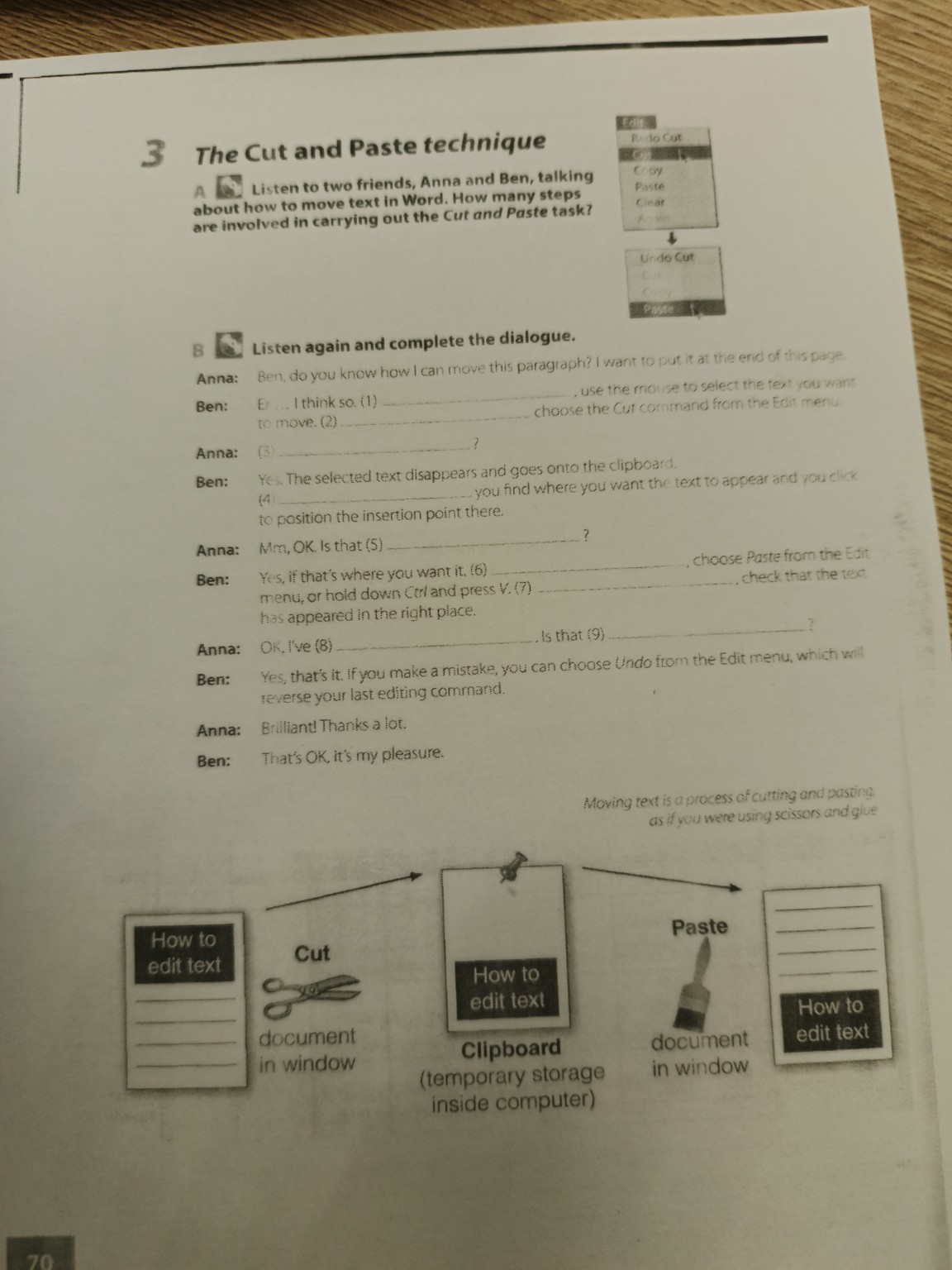
Задание 3.B (Диалог "Cut and Paste")
1. first
2. then
3. Does it disappear?
4. Next
5. all
6. Finally
7. and
8. done it
9. everything
Задание 5.A (Краткое изложение текста про Linux)
Linux is a reliable and adaptable operating system distributed for free. It has become the main alternative to proprietary systems like Unix and Windows. Major companies like IBM and HP support its development. Over a decade after its release, Linux is used worldwide, especially as a server platform. Its popularity for home and office desktops is also growing. Additionally, Linux can be embedded directly into microchips for use in various appliances and devices. This versatility and open-source nature make it a powerful tool in the modern digital world, including for technological sovereignty.
Задание 2 (Word Sudoku)
Для решения судоку нужно заполнить пустые клетки так, чтобы в каждой строке, столбце и квадрате \(3 \times 3\) не было повторений.
Основные пары (слово — иконка):
1. Align Left — иконка с текстом по левому краю.
2. Columns — иконка с двумя колонками.
3. Bullets — иконка со списком (точки).
4. Drawing — иконка с геометрическими фигурами.
5. Insert Table — иконка сетки (таблица).
6. Print Preview — иконка листа с лупой.
7. Undo — изогнутая стрелка влево.
8. Insert Hyperlink — иконка земного шара с цепью.
9. Open — иконка открывающейся папки.